

You can write to any prospect from the Replygrow inbox without opening LinkedIn. Use it to reply to someone whose sequence paused after they answered.
Send a message
Click Inbox in the left menu.
Select the person you want to message.
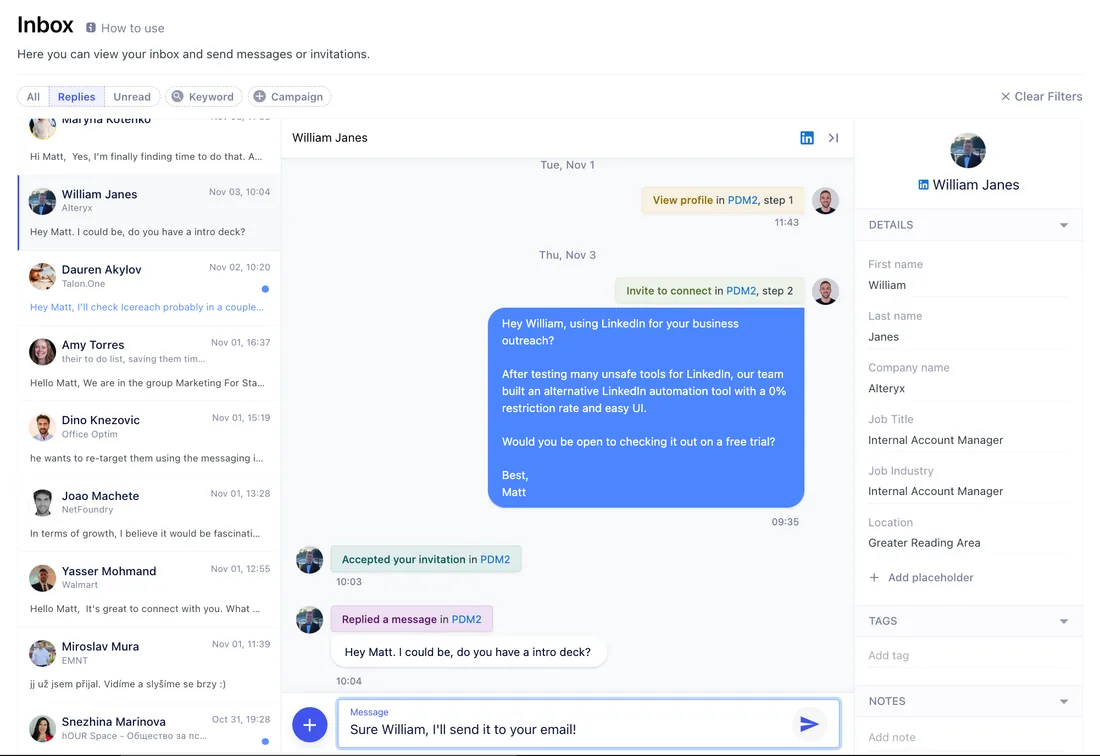
Type your message in the field at the bottom and click the send icon, or press Enter.
When is a message sent?
Replygrow syncs new activity on your LinkedIn account every 15 to 30 minutes during your active hours. A message is first scheduled and goes out on the next sync. Until then you see "Scheduled to be send..." under it.
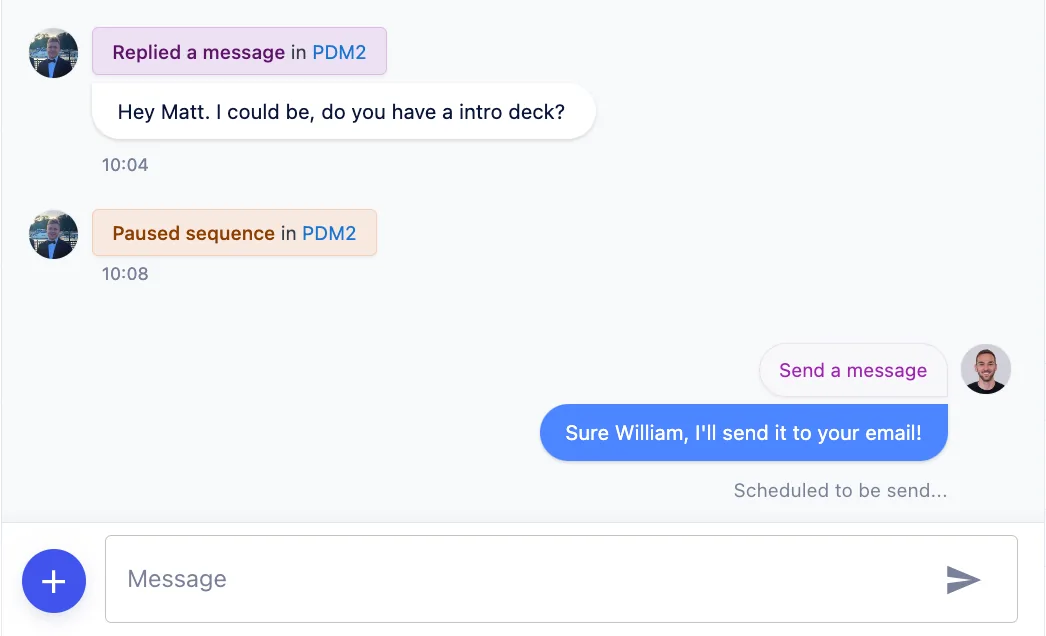
Once the message is sent, the time of sending replaces that label.
Related articles
- Inbox prospects and filters
- Send connection requests
- Account settings
- Feature overview: LinkedIn inbox