

Use a Google Sheet to import leads you collected yourself or exported from another lead tool. Each row is one prospect. You can also import a CSV file as a custom list.
Prepare your sheet
Add one column for each piece of information you need. Typical columns are:
- first_name and last_name
- email and phone
- company
- profile_url
The sheet must include a column named profile_url with each person's LinkedIn profile URL.
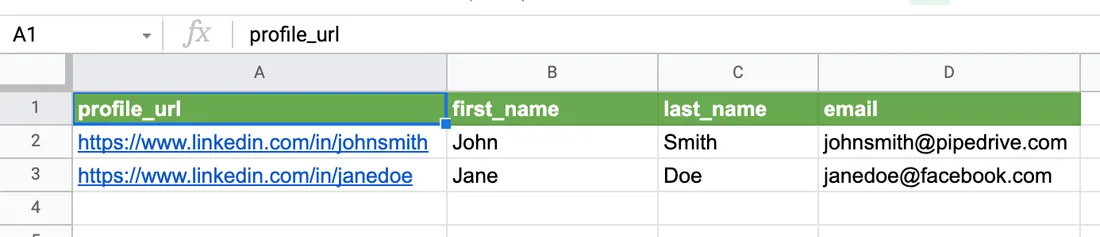
You can use this example Google Sheet as a template.
Share the sheet
Replygrow needs permission to read the sheet, so change its sharing settings first.
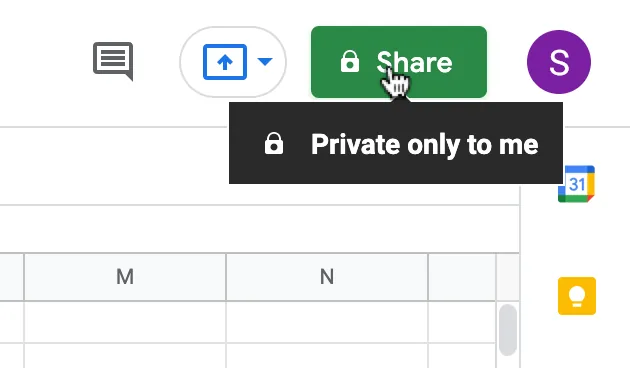
Click Share in the top-right corner of your spreadsheet.
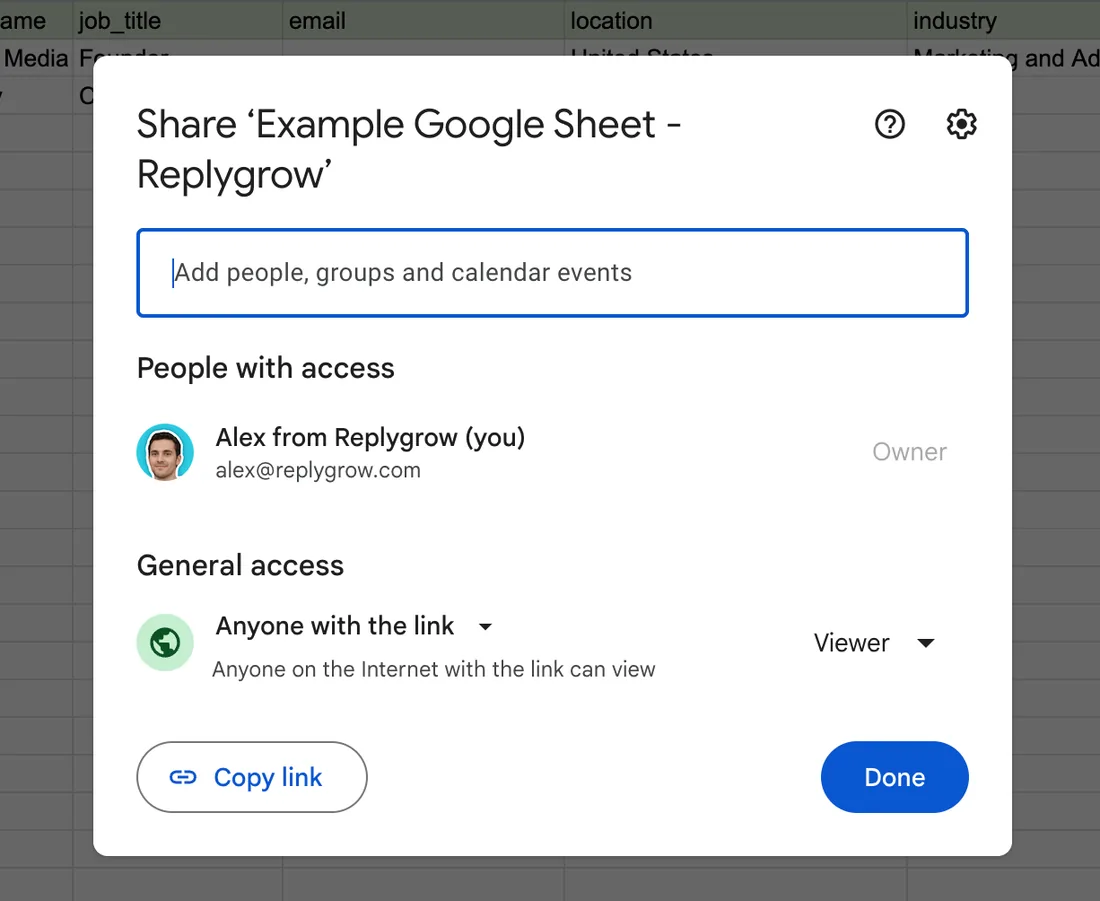
In the dialog, click Change to anyone with the link and set the permission to Viewer.
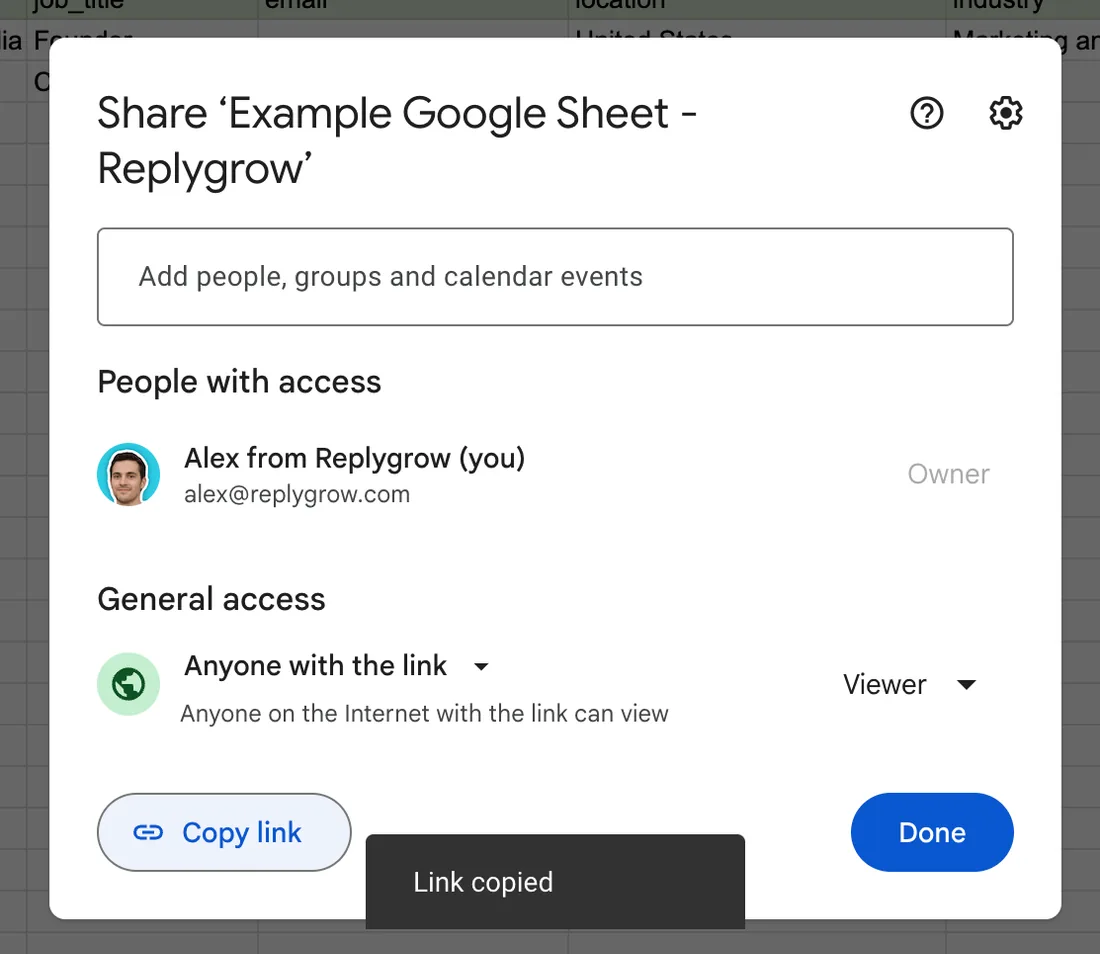
Click Copy link and close the dialog.
Import it into Replygrow
Go to Search and click Create search.
Choose Import Google Sheets list.
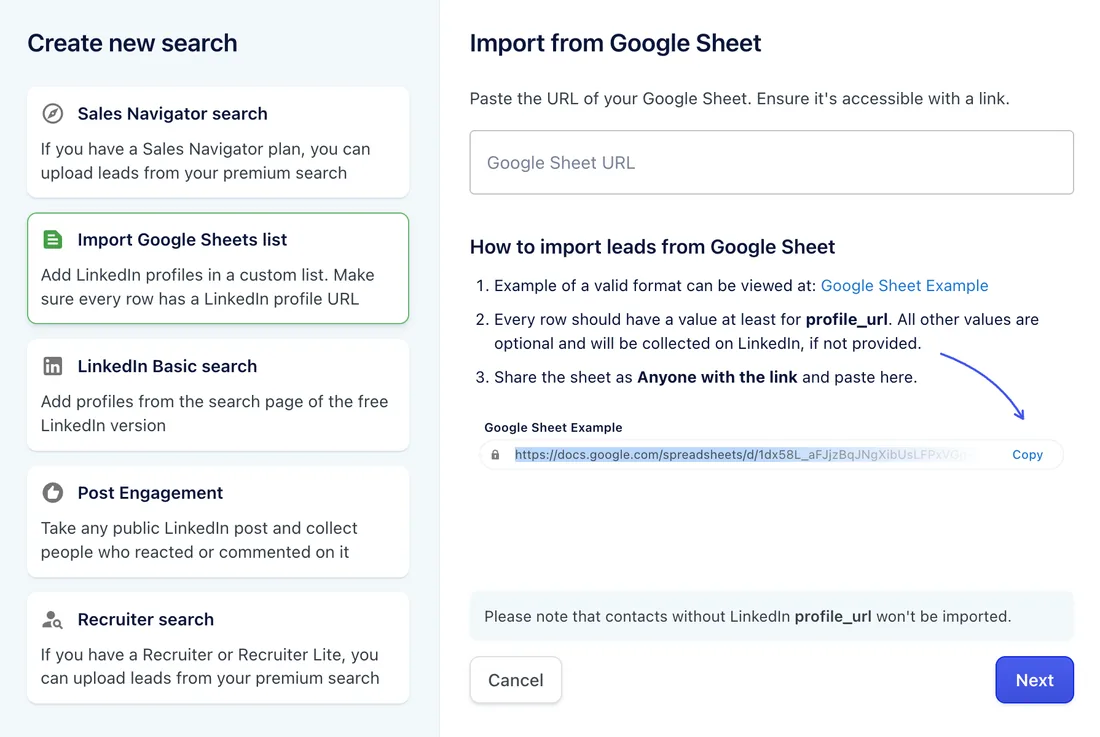
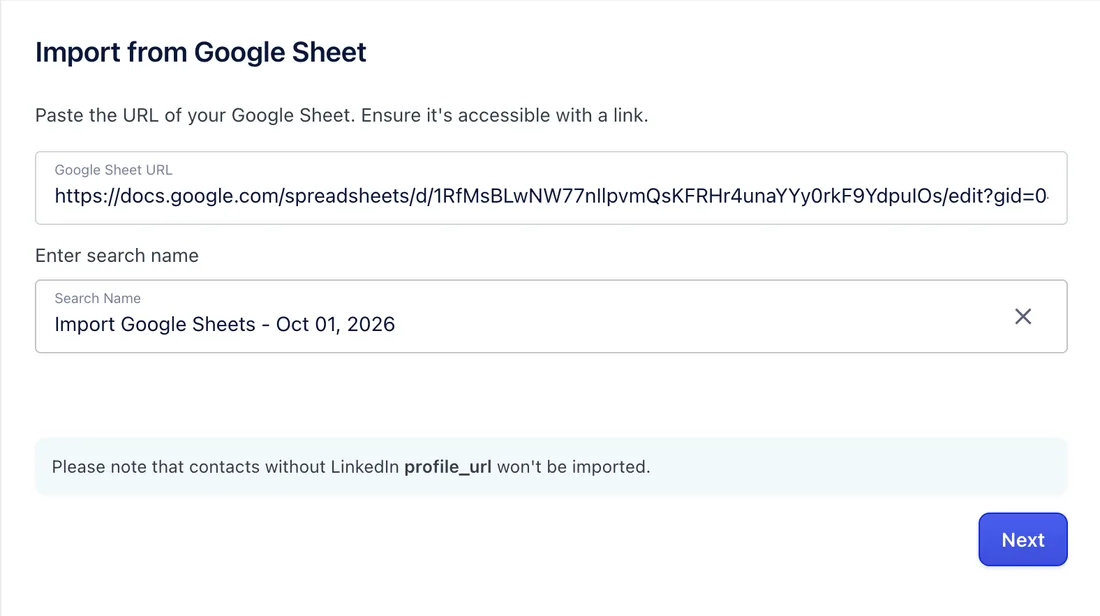
Paste the link into Google Sheet URL. Replygrow fills in a search name, which you can change. Click Next.
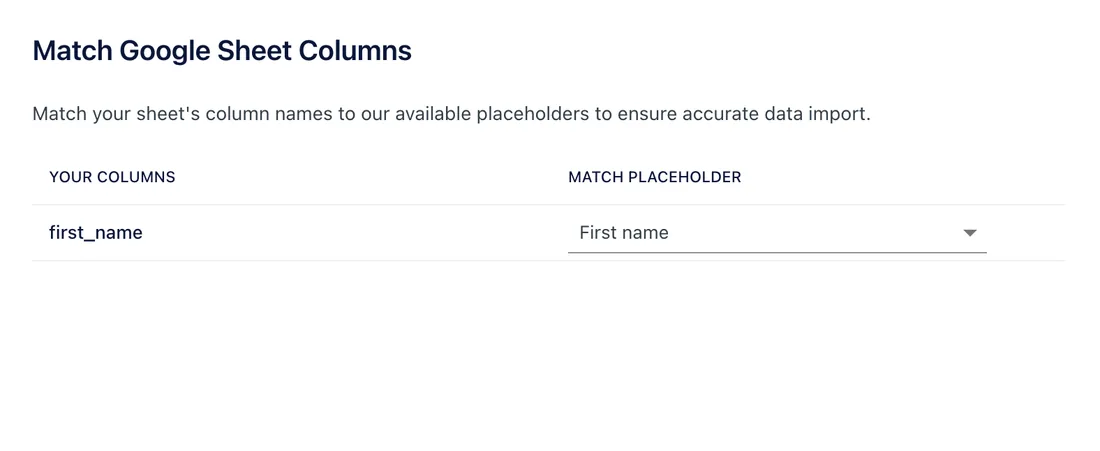
On Match Google Sheet Columns, match each of your columns to a placeholder.
Save. Replygrow processes the list and adds the leads.
Rows without a LinkedIn profile_url aren't imported.
Limits and tips
- Matched columns override LinkedIn data. A column you match to a placeholder such as first_name or company_name replaces the value Replygrow gets from LinkedIn.
- New columns become placeholders. Columns with unique names are added as new placeholders automatically.
- Skip a column. Select Ignore this key next to it.
- CSV works too. You can import a CSV file as a custom list.
Next step
Add the search to a campaign: on the Leads step, choose Existing Search list. See Create a campaign.