
Replygrow logo

Replygrow

Find leads

Reach out

Reply

Run many accounts and clients

Stay safe

All features
Pricing
Help CenterMy NetworkPlaceholders: personalize your messages

Placeholders: personalize your messages

Placeholders insert each prospect's own data into your messages, such as their first name or company. Check the values before you run a campaign, because wrong data goes straight into the message.

Available placeholders

When you write a connection request or message, you can insert these. Contact values come from the prospect's LinkedIn profile. Sender values come from your own account.

Placeholder Replaced with
First name The prospect's first name
Last name The prospect's last name
Company name The prospect's company
Job Title The prospect's job title
Job Industry The prospect's industry
Location The prospect's location
Custom A custom placeholder you added or imported
Dynamic A dynamic placeholder
My first name Your first name
My last name Your last name
My occupation Your occupation
My company name Your company name
My job title Your job title
My location Your location
My email Your email address

Review prospect data

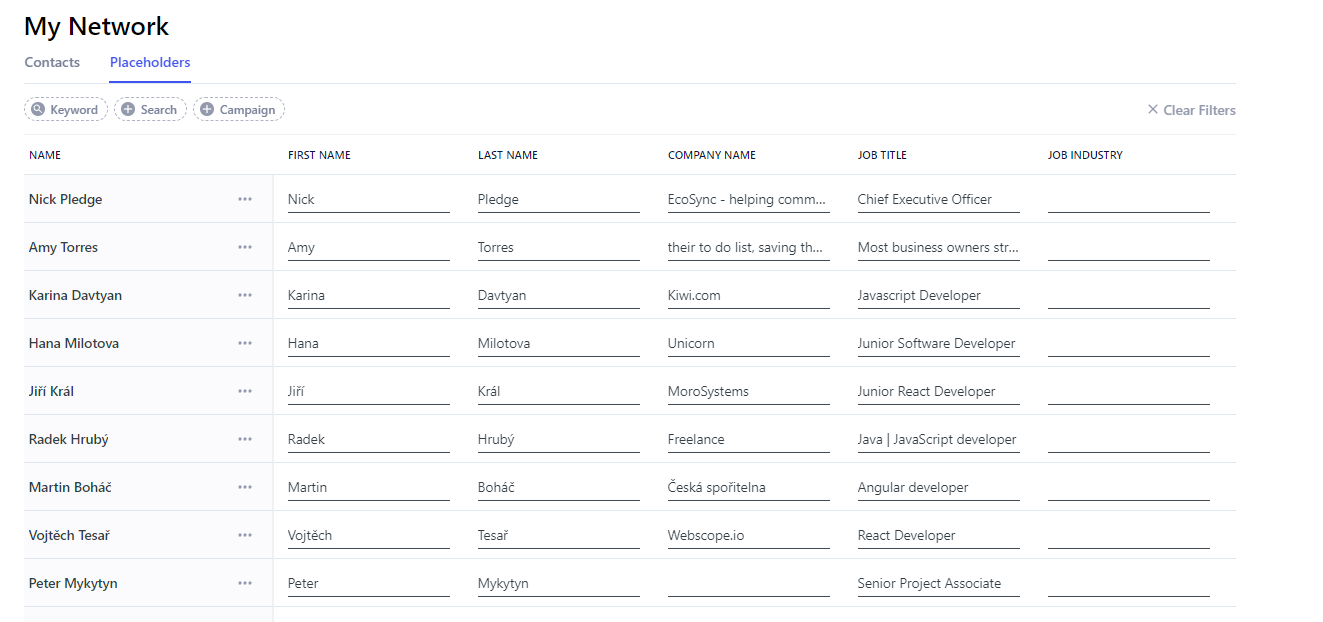
Go to My Network and open the Placeholders tab. It shows the placeholder values for every prospect on the account. Click a value to edit it.

Placeholders tab with each prospect's values

Add a new placeholder

  1. Go to My Network and open the Placeholders tab.

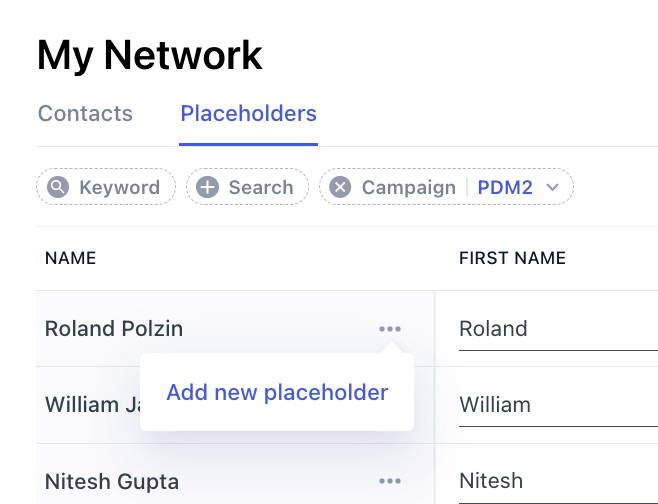
  2. Click the three dots next to the person you want to add a value for, then click Add new placeholder.

    Three-dot menu with Add new placeholder

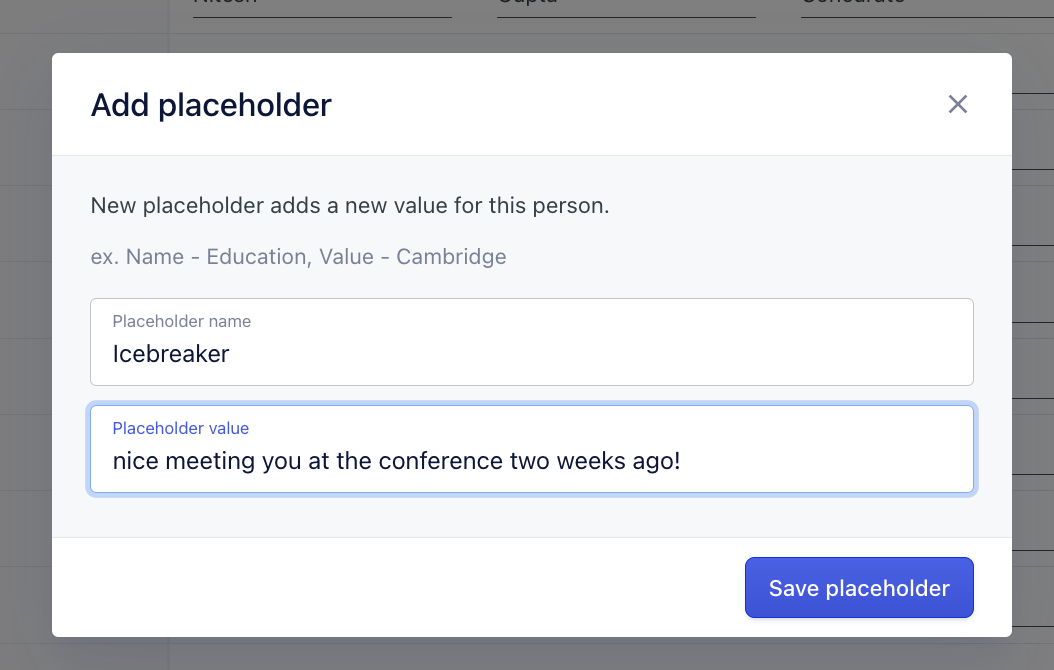
  3. Enter a Placeholder name and a Placeholder value, for example Icebreaker and nice meeting you at the conference two weeks ago!.

    Add placeholder form with name and value

  4. Click Save placeholder.

Use your own data

Data scraped from LinkedIn isn't always accurate, so many people import their own list through Google Sheets. If you match your columns to the default placeholders, such as first_name, last_name and company, your values override the ones from LinkedIn. You can then reuse the same placeholders across campaigns.

Go further with personalization

Besides placeholders, you can use IF/ELSE conditions to change a message depending on a prospect's data, and spintax to rotate wording so messages differ from person to person.