
18 Best LinkedIn Automation Tools in 2026

Replygrow is the best LinkedIn automation tool for teams that run several LinkedIn accounts: a proxy and warm-up on every account, every feature on one plan, and a price that drops as you grow. It's the tool we built, and its block below shows why it ranks first. HeyReach suits agencies past 25 senders that already buy proxies, and Expandi suits teams that want LinkedIn and email in one branching sequence.
The top 10 each get a full write-up: how the tool runs, what it's like in use, pros, cons and the monthly price from the vendor's own page. Eight more follow in brief. Short on time? The table comes next.
Best LinkedIn automation tools at a glance
Prices are monthly, per LinkedIn account, on the plan most teams buy, which isn't always the vendor's cheapest. Each tool's section says what that plan includes.
| Tool | ReplygrowBest overall | HeyReach | Expandi | Dripify | Waalaxy | Linked Helper | La Growth Machine | Meet Alfred | Skylead | Closely |
|---|---|---|---|---|---|---|---|---|---|---|
| Best for | Teams running several accounts | Agencies past 25 senders | Branching LinkedIn and email | Solo sellers adding email | European solo users | Technical solo operators | Multichannel sales teams | Sellers who also post | Heavy cold email users | Small white-label agencies |
| Runs in | Cloud | Cloud | Cloud | Cloud | Cloud | Desktop | Cloud | Cloud | Cloud | Cloud |
| Monthly price | $79/account, one plan | $79/sender, Growth | $99/seat, Business | $79/user, Pro | $99/user, Advanced | $45/license, Pro | $135/identity, Pro | $99/seat, Business | $100/seat, All-in-one | $65/account, Starter |
| Free trial | 7 days, no card | 14 days, no card | 7 days, card needed | 7 days, no card | 14 days, card needed | 14 days, no card | 14 days, no card | 7 days, no card | 7 days, card needed | Length not published |
| Proxy included | Residential, per account | Growth only; own on Agency | Data-center IP | Own IP, every plan | Shared VPN IP | Bring your own | Dedicated IP, 5G proxies | Dedicated IP per account | Not documented | Residential, US-based only |
| One inbox for all accounts | Every account, one inbox | One shared inbox | Global Inbox | One inbox per account | Paid add-on | Cloud licenses only | Pro and up | Per account; Teams switch | Not documented | Unified inbox |
| Client workspaces | Company per client, own login | Separate client data | Workspaces, client access | Teams on Advanced, no login | Not documented | Workspaces, any license | Workspace per client | Teams plan, vendor claim | Agency dashboard | Master dashboard, unlimited clients |
A warning mark means partly available, or not documented on the vendor's own pages.
How we picked these tools
A LinkedIn automation tool can look great on its homepage and still let you down a month in, with a restricted account or a setup that ate a week. So I ranked these on the parts that decide whether one keeps working for you:
- Account safety: a proxy or IP per account, limits and warm-up
- Lead sources: search, Sales Navigator, Recruiter, posts and files
- Several accounts at once, with clients kept apart
- One inbox where every account's replies land
- The price per account, and how it changes as you grow
- The time from sign-up to a first live campaign
Several of these I've used myself. I wired HeyReach up with my own proxies, went through the Expandi and Dripify sign-ups, and ran trials of Waalaxy, Linked Helper, La Growth Machine and Meet Alfred. For the rest, the facts come from each vendor's pricing page and help center, and the user's view from G2, Capterra and Trustpilot.
Seven of the ten also have a full review, linked at the end of their block. To see Replygrow against them feature by feature, Replygrow comparisons puts them side by side.
What is a LinkedIn automation tool?
A LinkedIn automation tool sends the actions you'd otherwise click through by hand: profile visits, connection requests, messages, InMails and the follow-ups that come after them. You give it a list of leads and a sequence, and it works through them at a pace you set.
Where it runs matters as much as what it sends. You'll meet three kinds:
| Kind | Runs where | Watch for |
|---|---|---|
| Cloud | The vendor's servers | A proxy per account |
| Desktop app | Your own computer | It must stay on |
| Browser extension | Your open browser | Stops when you close |
Most tools on this list run in the cloud, so campaigns keep going with your laptop closed. A desktop app such as Linked Helper gives you more actions in exchange for running the machine yourself. An extension such as Octopus CRM is the cheapest way in, but it sends only while your browser is open. If you want to see what a well-paced invitation campaign looks like, our guide to LinkedIn auto connect walks through one.
The 10 best LinkedIn automation tools in 2026
Each block covers how the tool runs and what it's like in use, then its key features, pros, cons and monthly price.
1. Replygrow: best for teams running several accounts
Replygrow is a cloud LinkedIn automation tool for running one LinkedIn account or fifty from one place. It's the tool we built, and it keeps sending with your laptop closed, inside the hours you set for each account. You connect each LinkedIn account once, and it gets its own proxy before it sends a thing.
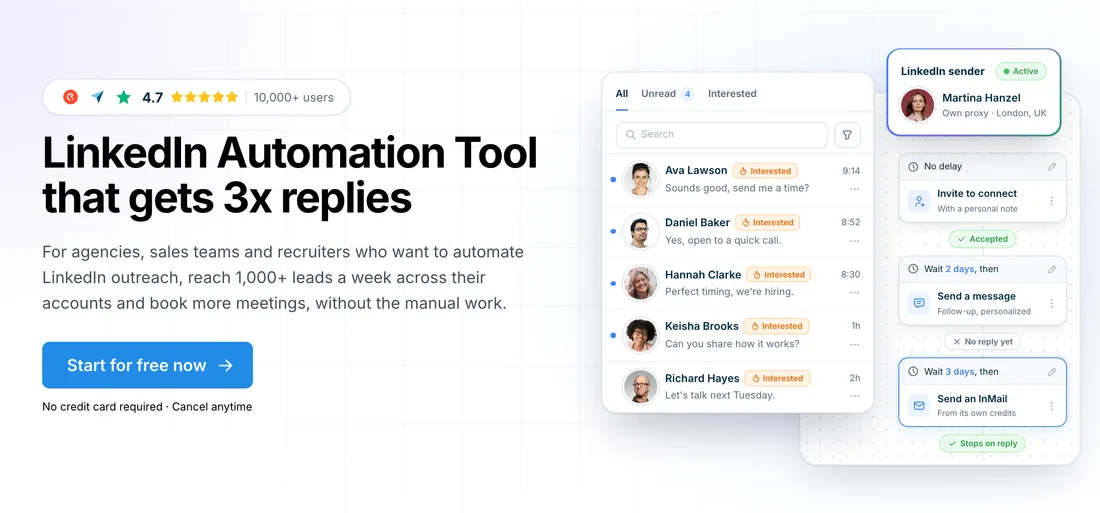
You pull leads from a LinkedIn search, Sales Navigator, Recruiter, the people who reacted to or commented on a post, or a CSV or Google Sheet. Then you build a sequence of profile visits, connection requests, messages and InMails, and choose who sends it: one account per campaign, or several accounts sharing one. You can preview every message and note exactly as the lead will see it before anything goes out.
Replies from every account land in one inbox that you filter by campaign, status or unread, and you can answer from any account you have access to. When someone replies, only that person's sequence pauses, so the conversation is yours from there, and everyone else in the campaign keeps moving. Agencies get a company per client: its accounts sit under it, you switch companies without logging out, and two accounts in one company never message the same prospect. Each client can log in to a dashboard that shows only their own accounts.
Why it ranks first
It starts with a price that drops as you grow. You pay per LinkedIn account, not per person, and from 5 accounts the rate falls, reaching 50% off at 50, so you can quote a client before the sales call. That one plan carries every feature from the first account: five lead sources, the shared inbox, a company per client, personalization with spintax and conditions, and A/B tests. Nothing waits behind an upper tier, and no team size needs a sales call to get a price.
Then there's safety. Every account sends through a dedicated residential proxy in the country you choose, and a new account warms up from 5 invitations a day, rising to 30 over 14 days. You set the daily limits and active hours for each account, and the system allows up to 100 invitations a day. No tool can promise an account will never be restricted, but these are the settings that keep the risk low.
The point of all this is more replies. Teams on Replygrow see a 15–35% higher response rate and 3x more meetings booked weekly, and a profile visit before the invite earns 2x connection acceptance. Starting is easy too: the trial runs 7 days with no card, and your first campaign can go live today.
Key features
- Five lead sources, Recruiter and Sales Navigator included
- One inbox for every LinkedIn account you run
- A company and dashboard login for each client
- Dedicated residential proxy and a 14-day warm-up
- Personalization, spintax, message preview and A/B tests
Pros and cons
| Pros | Cons |
|---|---|
| Proxy and warm-up included on every account | LinkedIn only, with no email steps in a sequence |
| The price per account drops from five accounts | Each sequence follows one path, with no behavior branches |
| Clients kept apart, each with their own login | |
| Every feature on one plan, from the first account | |
| A first campaign live on the day you sign up |
Pricing
| Plan | Price | Included |
|---|---|---|
| 1 account | $79 per account a month | Every feature, proxy and warm-up |
| 10+ accounts | $71.10 per account a month | 10% off every account, every feature |
| 50+ accounts | $39.50 per account a month | 50% off every account, every feature |
Volume discounts start from 5 accounts and reach 50% off at 50, and every team size is priced on our pricing page.
2. HeyReach: best for agencies past 25 senders
Agencies are HeyReach's home ground. It runs in the cloud and bills per sender, its word for a LinkedIn account, with flat bundles from 25 senders up.
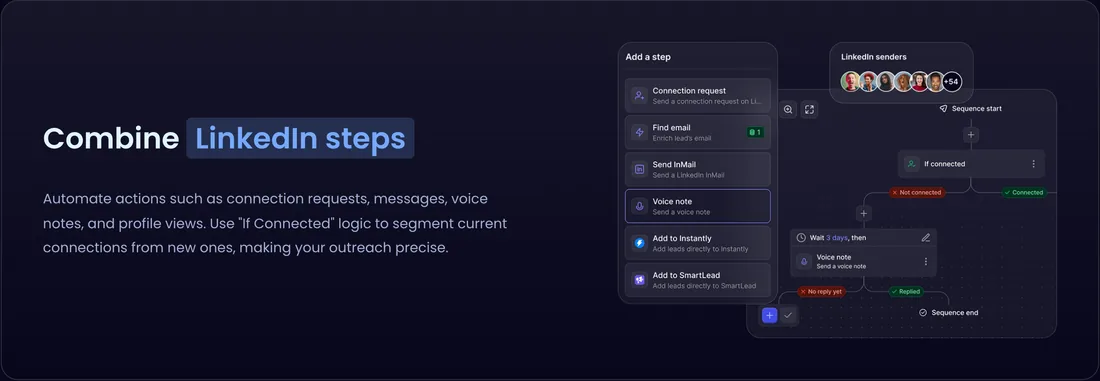
You can rotate several senders through one campaign, and every reply lands in one shared inbox. The builder covers invitations, messages, InMails, profile visits and voice notes, with two conditions: whether the lead is connected and whether their profile is open. So a sequence branches on a lead's status, not on what they did. Email runs through Instantly or Smartlead rather than a mailbox of its own.
The catch is proxies. Growth includes one per sender, but the Agency and Unlimited bundles ask you to bring your own. I ran that setup with a separate proxy vendor, and it added $3 to $4 a month per account, plus the wiring and a manual warm-up for each one.
Key features
- Sender rotation across several accounts in one campaign
- One shared inbox for every sender's replies
- White-label with your own domain, on Agency
- API, webhooks and an MCP server on Growth
- Lead imports from Sales Navigator, Clay and HubSpot
Pros and cons
| Pros | Cons |
|---|---|
| Published bundle prices at 25 and 50 senders | Bring your own proxies on Agency and Unlimited |
| A lower per-sender rate from 10 senders | Only two conditions, both on the lead's status |
| A 14-day trial on three accounts, no card | No mailbox of its own for email steps |
Pricing
| Plan | Price | Included |
|---|---|---|
| Growth, under 10 senders | $79 per sender a month | A proxy per sender, one shared inbox |
| Growth, 10+ senders | $59 per sender a month | The lower per-sender volume rate |
| Agency, 25 senders | $999 a month | Own proxies, one white-label brand |
Our HeyReach pricing breakdown covers every plan.
What users say
3. Expandi: best for branching LinkedIn and email
Expandi's strength is its sequence builder, one of the deepest on this list. It runs in the cloud with 20 actions and 10 conditions, so a campaign can fork on whether someone connected, opened an email or liked a post.
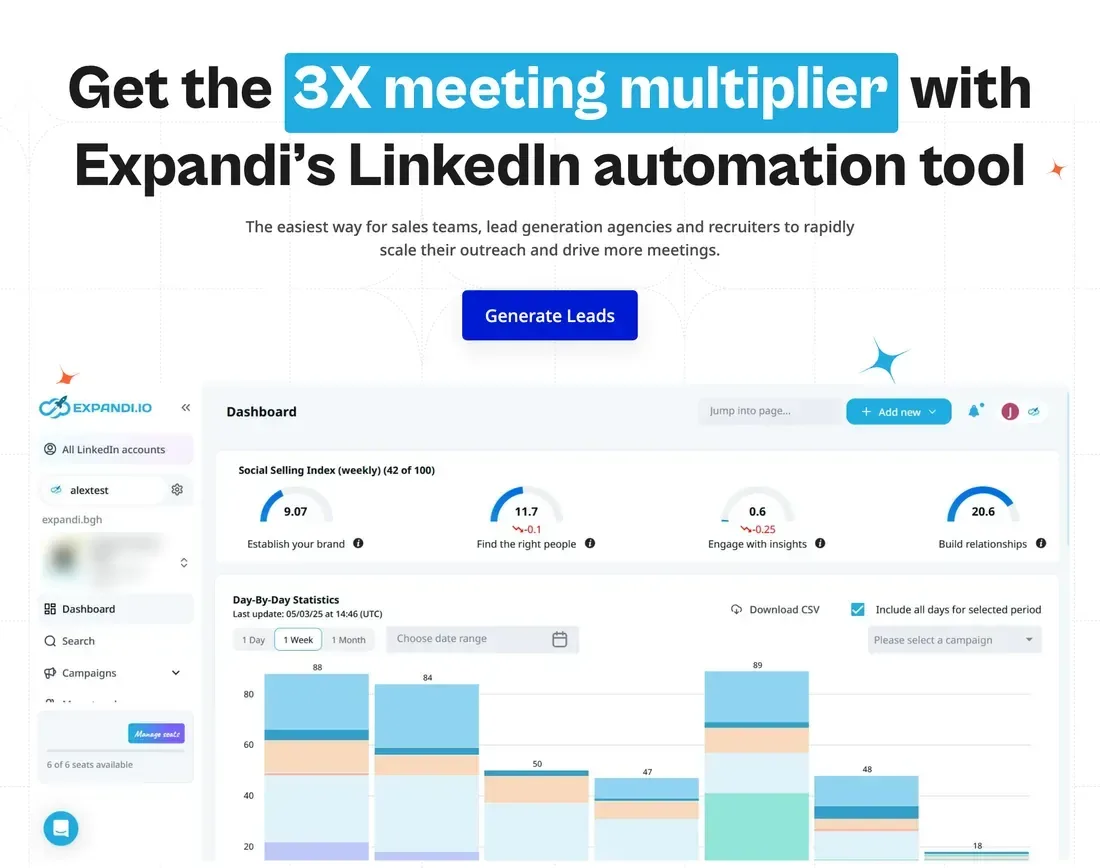
Email steps send from your own mailbox inside the same sequence, and native HubSpot, Pipedrive and Salesforce actions sit in the builder too. Safety comes built in: a 14-day Profile Auto Warm-up and a country-based IP on every account. Expandi's own help center says that IP comes from a data center rather than a home connection.
Two things to know before you start. The 7-day trial asks for a card, which I confirmed by signing up. And once a campaign is live, you can't add or remove steps; you duplicate it and start again.
Key features
- 20 actions and 10 conditions in the builder
- Email steps sent from your own mailbox, in-sequence
- Profile Auto Warm-up for every new account
- Native HubSpot, Pipedrive and Salesforce actions
- 12 lead sources, Recruiter and groups included
Pros and cons
| Pros | Cons |
|---|---|
| The builder forks on what each lead does | The 7-day free trial asks for a card |
| Warm-up, duplicate prevention and a blacklist included | A data-center IP, not a residential connection |
| LinkedIn and email steps in one campaign | 10 accounts or more means a sales call |
Pricing
| Plan | Price | Included |
|---|---|---|
| Business | $99 per seat a month | One LinkedIn account, warm-up, data-center IP |
| Agency | Custom quote | From 10 seats, white-label, client reports |
Each seat is one LinkedIn account, and Expandi pricing has the full math.
What users say
4. Dripify: best for solo sellers adding email
If you sell alone or in a small in-house team, Dripify covers a lot on its entry plan. Pro, the cheapest tier, already runs LinkedIn and email steps in one cloud sequence.
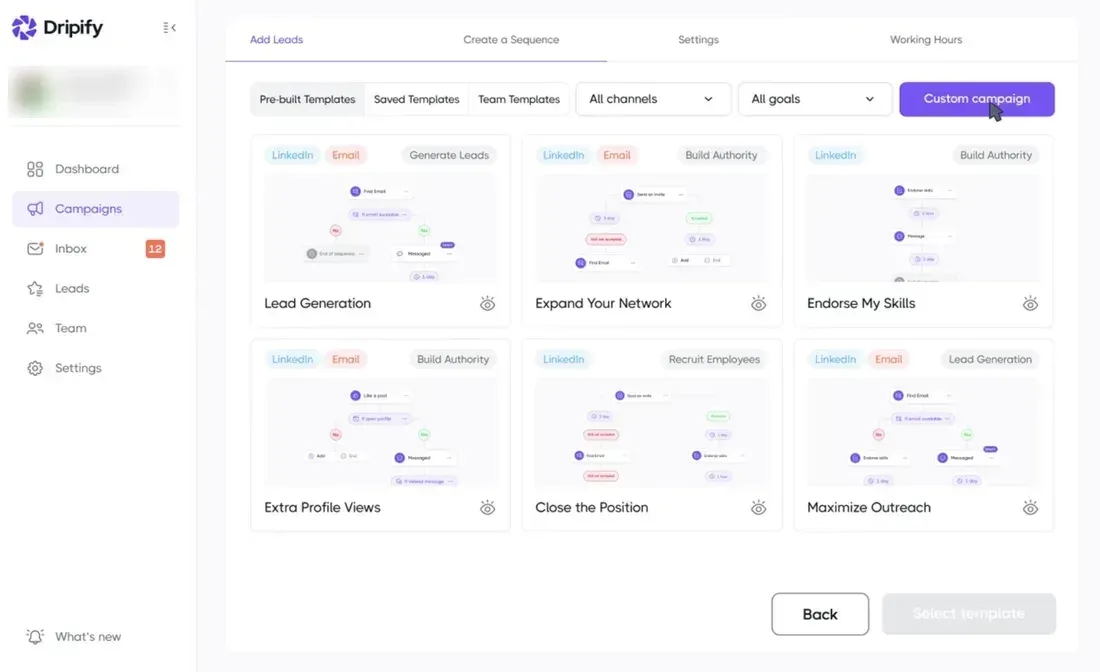
Pro also includes an email finder, an inbox per account, CSV export and a HubSpot sync. The builder offers ten actions and four conditions, and each account gets its own IP in your region. Activity control, which paces an account's daily activity for you, sits on Advanced, so on Pro you set the warm-up ramp by hand.
Teams and clients are where it thins out. Advanced lets you split clients into teams, but there's no client login and no white-label, so a client's report is a file you export and send.
Key features
- LinkedIn and email steps in one sequence
- Ten actions and four conditions to build with
- An email finder with monthly credits included
- Its own IP per account, in your region
- HubSpot sync, webhooks and an open API
Pros and cons
| Pros | Cons |
|---|---|
| The entry plan already covers LinkedIn and email | Activity control and A/B tests need the Advanced plan |
| A 7-day no-card trial with Advanced features | No client login and no white-label for agencies |
| A native HubSpot sync on every plan | Ten seats or more means a sales call |
Pricing
| Plan | Price | Included |
|---|---|---|
| Pro | $79 per user a month | LinkedIn and email steps, email finder |
| Advanced | $99 per user a month | Adds teams, A/B tests, activity control |
| Enterprise | Custom quote | Dedicated support and onboarding |
Each user is one LinkedIn account, and Dripify pricing compares every plan.
What users say
5. Waalaxy: best for European solo users
Waalaxy comes from France and sells mostly in Europe, with the app in ten languages. You import leads from a search, a post, a group or an event, then pick a ready-made sequence to run on them.
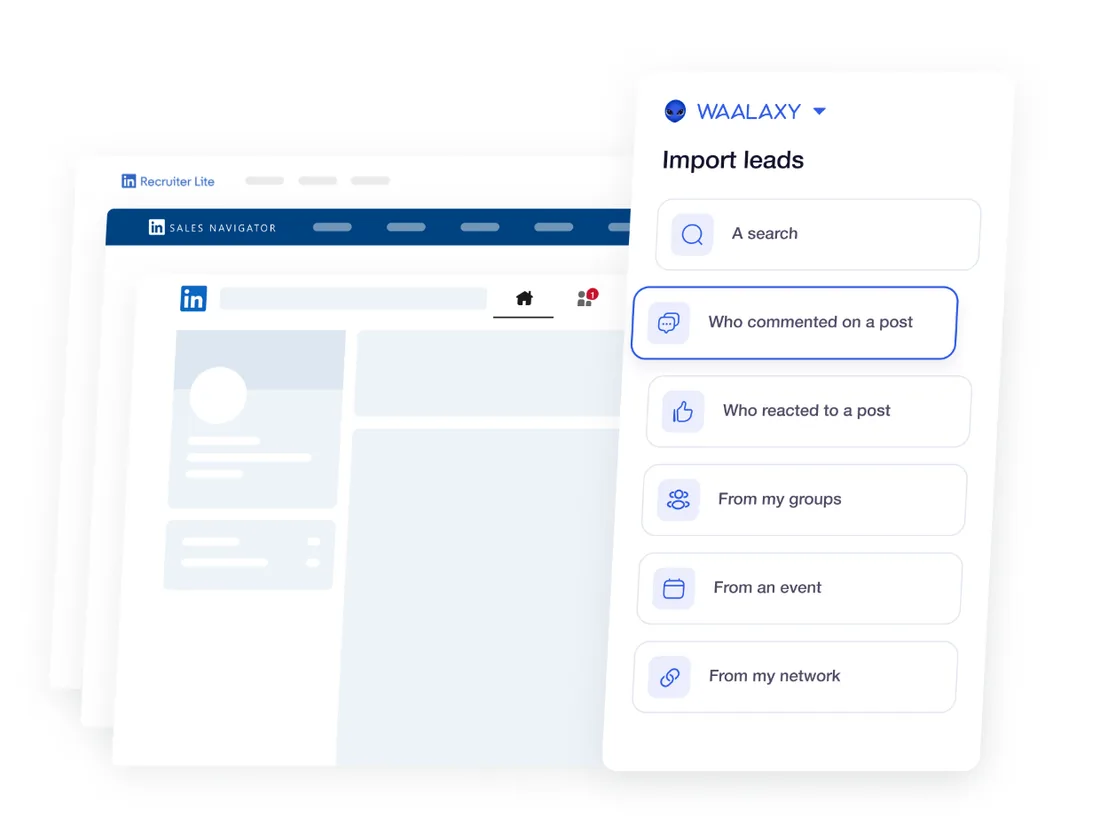
Waalaxy used to run as a Chrome extension and now runs fully in the cloud. Each user gets a fixed VPN IP that up to five users share, and the warm-up is yours to do by hand before you automate. Their help center also says you can't build a sequence from scratch or add an action to a template.
I found the interface cluttered. The inbox is a paid add-on on every plan once you pass 500 free conversations, and the trial takes a card, with no reminder before the first charge.
Key features
- Ready-made sequences to pick from and run
- Lead imports from posts, groups and events
- Email finder credits included on every plan
- A public API and MCP server on Advanced
- The app in several European languages
Pros and cons
| Pros | Cons |
|---|---|
| A quick start from a ready-made sequence | The inbox is a paid add-on on every plan |
| The lowest yearly entry rate of any cloud tool here | A shared VPN IP and a manual warm-up |
| Intent-based leads from post reactions and events | The 14-day trial needs a card up front |
Pricing
| Plan | Price | Included |
|---|---|---|
| Pro | $39 per user a month | 300 invites a month, email finder credits |
| Advanced | $99 per user a month | 800 invites, API, Make and Zapier import |
| Business | $139 per user a month | Cold email, 500 credits, multichannel |
Its pricing page opens on the yearly rate, and Waalaxy pricing explains why.
What users say
6. Linked Helper: best for technical solo operators
Linked Helper is a desktop app, not a cloud service or a browser extension. You install it on your computer, and it works LinkedIn like a separate browser, without injecting code into the page.
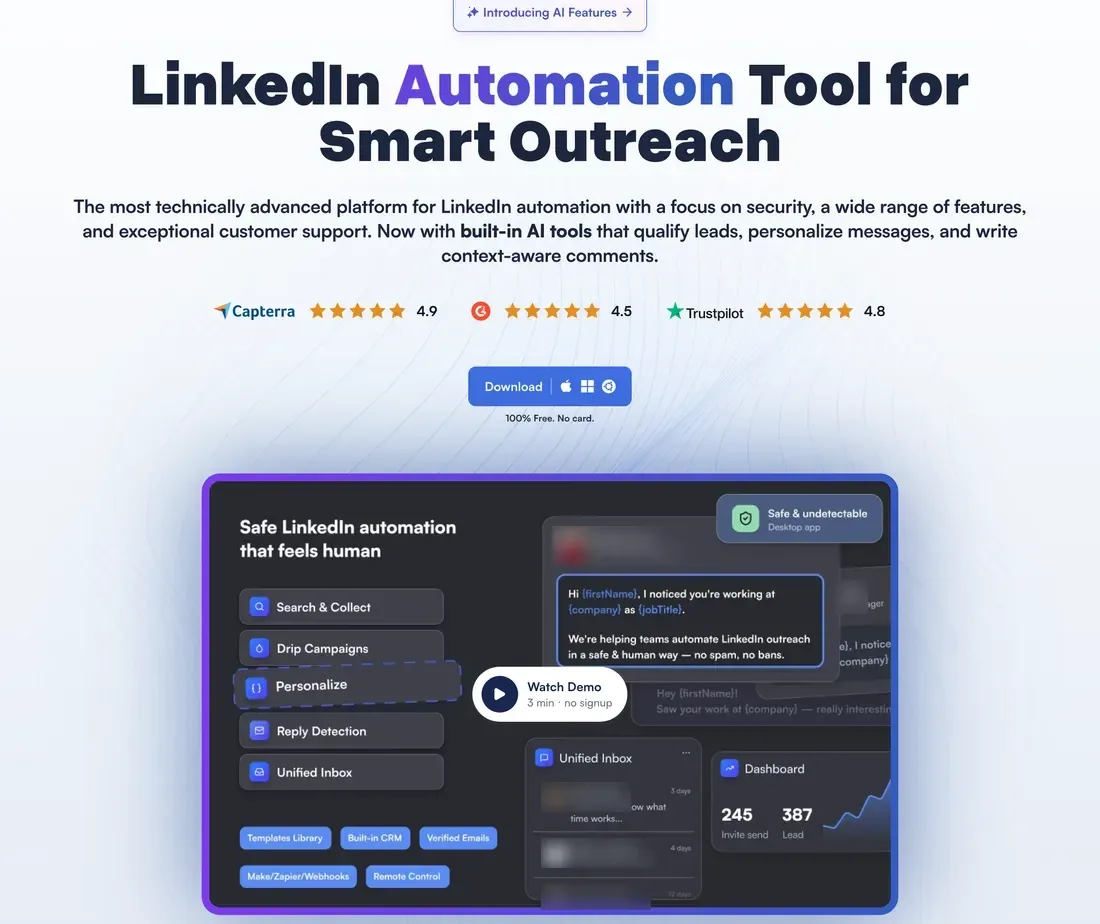
It does more LinkedIn actions than any cloud tool here, from endorsements to event, group and company page invitations. The trade-off is the machine: your computer has to stay on while campaigns run, so a sleep or a crash stops them, and proxies are yours to buy and set up.
In my own trial, setup took real effort and the app slowed down on big lists. It's powerful and cheap in patient hands, though pooling every account's inbox needs the pricier Cloud licenses.
Key features
- The widest LinkedIn action set on this list
- Recruiter, Recruiter Lite and projects as lead sources
- Spintax and IF/THEN logic in message templates
- White-label and view-only guest access for clients
- Eleven native CRMs, HubSpot and Pipedrive included
Pros and cons
| Pros | Cons |
|---|---|
| Cheaper per account than the cloud tools here | Your computer must stay on for campaigns to send |
| A 14-day trial with full Pro access, no card | Proxies are yours to buy and set up |
| No code injected into LinkedIn pages | A complex setup, and slow on big lists |
Pricing
| Plan | Price | Included |
|---|---|---|
| Standard, local | $15 per license a month | One LinkedIn account, runs on your computer |
| Pro, local | $45 per license a month | Pro feature set, runs on your computer |
| Pro, cloud storage | $59.90 per license a month | Pro plus a pooled inbox and CRM sync |
Each license covers one LinkedIn account, and a 12-month Pro license brings it to $24.75 a month.
What users say
7. La Growth Machine: best for multichannel sales teams
La Growth Machine is a sales platform more than a LinkedIn tool. One sequence can mix LinkedIn steps, emails and calls, and it branches on replies, acceptances and opens.
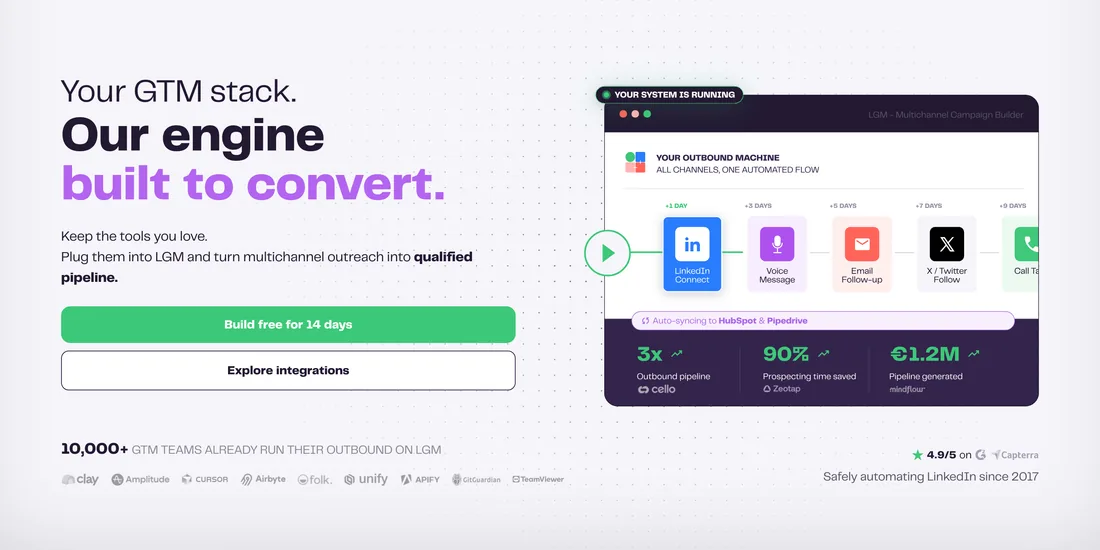
It bills per identity, meaning one LinkedIn profile plus its mailboxes, and each user gets a dedicated IP plus 5G mobile proxies. Email enrichment and a company database come with every plan. Basic stops at three identities and leaves out the unified inbox and A/B tests, so most teams land on Pro.
The standout in my trial was the AI that pre-writes a campaign's messages from what you give it. Every campaign starts from a template, though, the setup assumes you've built sequences before, and the interface felt a little dated.
Key features
- LinkedIn, email and calls in one flow
- AI voice notes in your cloned voice
- Waterfall email enrichment built into every plan
- A client workspace each, on every paid plan
- API, webhooks, Zapier and MCP from Pro
Pros and cons
| Pros | Cons |
|---|---|
| A dedicated IP plus 5G mobile proxies per user | A steep learning curve on the sequence canvas |
| Branches on replies, acceptances and email opens | No published volume discount per identity |
| A 14-day trial with no card | Native HubSpot and Pipedrive sync only on Ultimate |
Pricing
| Plan | Price | Included |
|---|---|---|
| Basic | $70 per identity a month | Up to 3 identities, no unified inbox |
| Pro | $135 per identity a month | Unified inbox, calls, A/B tests, API |
| Ultimate | $195 per identity a month | Adds X, native HubSpot and Pipedrive sync |
Each identity is billed separately, and La Growth Machine pricing prices every team size.
What users say
8. Meet Alfred: best for sellers who also post
Meet Alfred bundles LinkedIn, email and X outreach with a few extras most rivals skip. Campaigns run in the cloud with your laptop closed, each account from its own IP.
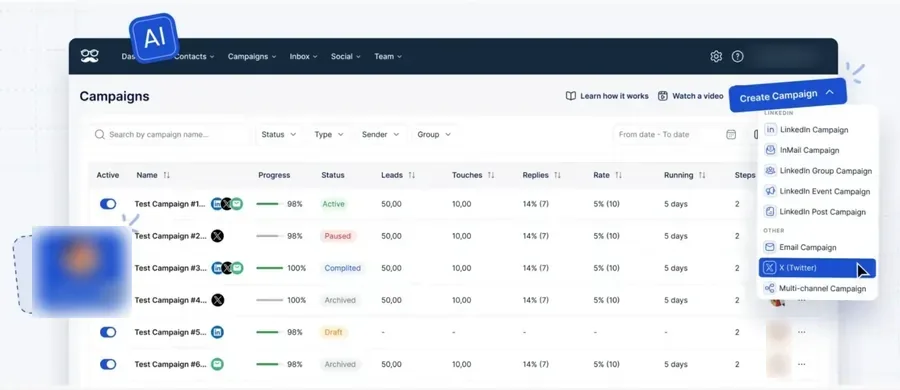
From Business, a sequence mixes LinkedIn and email steps, and campaigns can start from searches, Sales Navigator, CSV files, posts, groups and events. It handles the small touches too: greetings for birthdays and job changes, a built-in CRM with tags and notes, and post scheduling for LinkedIn and other networks.
In my trial, the X campaigns that the pricing page sells didn't work, and the interface showed its age. Teams of three or more get white label with their own login domain.
Key features
- LinkedIn and email steps in one sequence
- Automatic birthday and job-change greetings
- A built-in LinkedIn CRM with tags and notes
- Post scheduling for LinkedIn and other networks
- White label with a custom domain on Teams
Pros and cons
| Pros | Cons |
|---|---|
| Cloud sending from a dedicated IP per account | Sales Navigator, CSV and email steps need Business |
| A 7-day trial with no card needed | The X campaigns it sells failed in our trial |
| Native HubSpot and Salesforce export on Teams | A dated interface, by our trial and reviewers |
Pricing
| Plan | Price | Included |
|---|---|---|
| Individual | $59 per seat a month | Basic LinkedIn accounts only, smart inbox |
| Business | $99 per seat a month | Sales Navigator, email and X steps, CSV |
| Teams, 3+ seats | $79 per seat a month | White label, team inbox, native CRM export |
Meet Alfred pricing compares Business with Teams.
What users say
9. Skylead: best for heavy cold email users
Skylead pairs LinkedIn automation with cold email. Each seat runs one LinkedIn account plus unlimited email accounts and up to 100,000 emails a month.
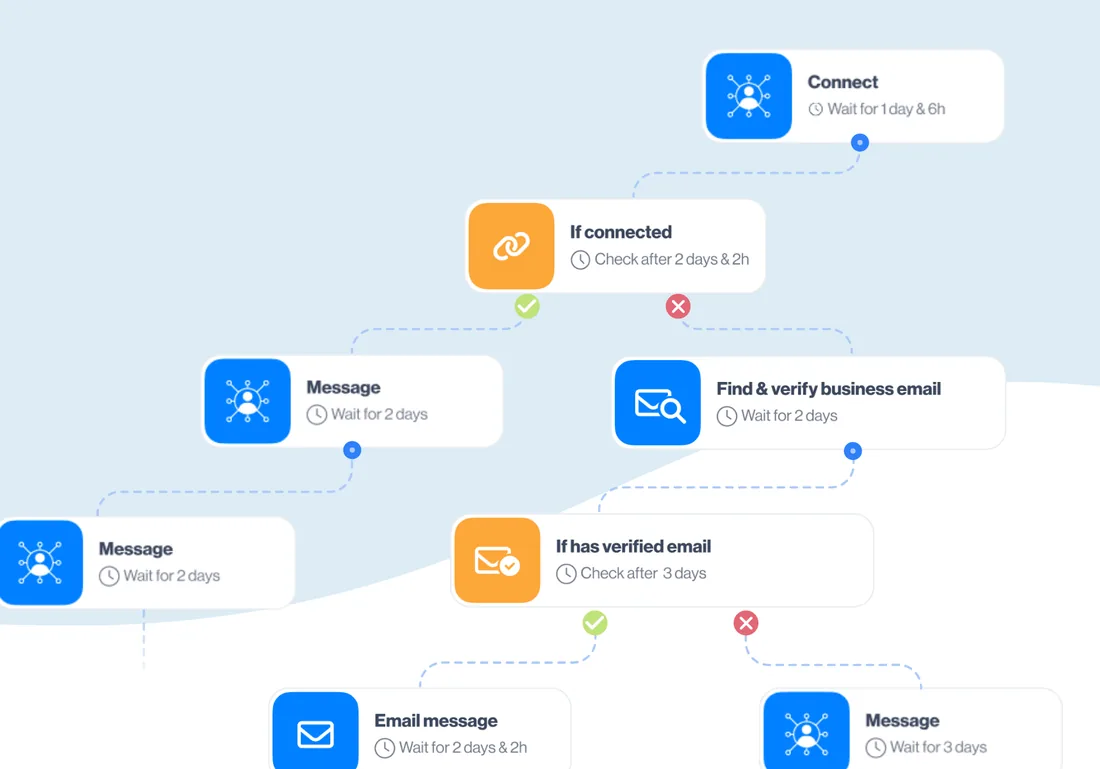
Its smart sequences branch on conditions, such as whether a lead connected or has a verified email, and switch channels to match. It also finds and verifies business emails, warms up your mailboxes and syncs with HubSpot, Pipedrive and Salesforce in real time.
Account-based prospecting lets you start from a list of companies and find the right people inside each one. The 7-day trial asks for a card and covers the first account you add, and yearly billing is a sales conversation. An agency plan with white-label is sold as a first-year promotion, so check what it costs after the first year.
Key features
- Branching sequences across LinkedIn and email
- Unlimited email accounts included on every seat
- An email finder and verifier built in
- Real-time HubSpot, Pipedrive and Salesforce sync
- Account-based prospecting from a list of companies
Pros and cons
| Pros | Cons |
|---|---|
| Heavy email volume included in every seat's price | Yearly billing only through a sales conversation |
| Branches on connections and verified emails | The free trial covers your first account only |
| An agency plan with white-label for client work | $100 a seat, even if you never send email |
Pricing
| Plan | Price | Included |
|---|---|---|
| All-in-one | $100 per seat a month | Unlimited email accounts, 100,000 emails a month |
| Agency, 25 seats | $999 a month | White-label, first-year promotional price |
Each seat covers one LinkedIn account, and the agency price is a first-year promotion.
What users say
10. Closely: best for small white-label agencies
Closely sells cloud LinkedIn and email outreach in bundles of one, three or five LinkedIn accounts. Its standout is white-label on every plan: your own domain, colors and logo, even at the entry price.
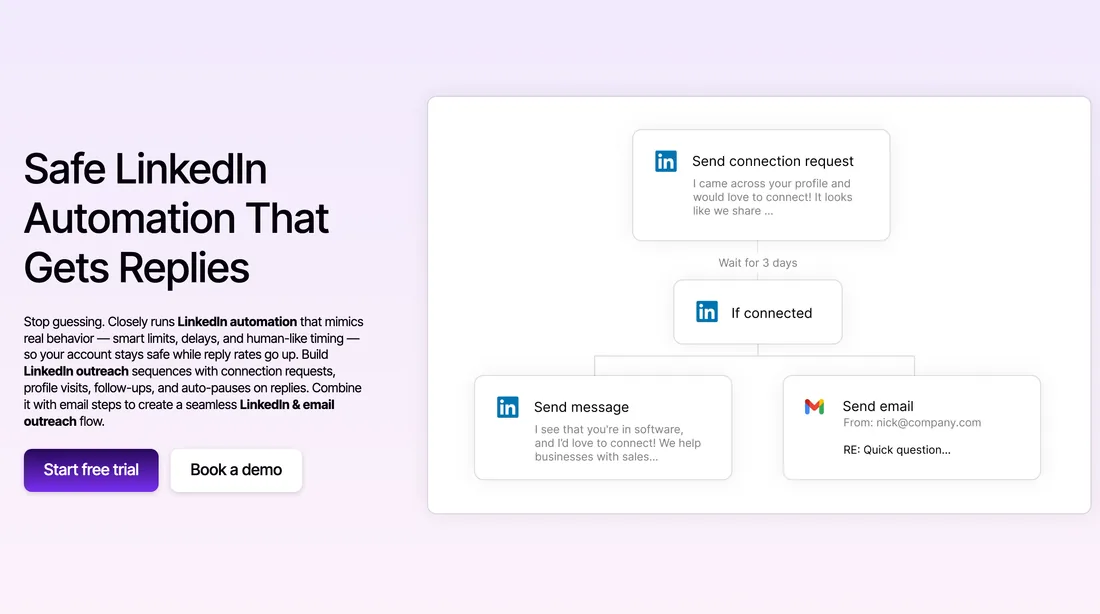
Sequences mix connection requests, profile visits, messages and emails, with a condition on whether the lead connected, and replies pause the follow-ups. Its pricing table lists a dedicated residential IP for each LinkedIn account, and it connects natively to GoHighLevel, HubSpot, Salesforce and Pipedrive.
Each LinkedIn account in a bundle comes with unlimited email accounts, and the bigger bundles add monthly credits for finding emails and phone numbers or writing AI-personalized lines. Past five accounts, though, nothing is self-serve until its flat white-label plan for unlimited clients.
Key features
- White-label on every plan, custom domain included
- Unlimited email accounts in every bundle
- Dedicated residential IP per LinkedIn account
- Native GoHighLevel, HubSpot and Salesforce integrations
- Email and phone credits on bigger bundles
Pros and cons
| Pros | Cons |
|---|---|
| Your own branding from the very first account | Self-serve bundles stop at five LinkedIn accounts |
| LinkedIn and email steps in one sequence | Trial length and card terms aren't published |
| Works with GoHighLevel natively, rare in this field |
Pricing
| Plan | Price | Included |
|---|---|---|
| Starter, 1 account | $65 per LinkedIn account a month | White-label, unlimited email accounts |
| Growth, 3 accounts | $159 a month | 3,000 credits a month, white-label |
| Essential, 5 accounts | $259 a month | 5,000 credits a month, white-label |
The flat plan for unlimited clients costs $1,499 a month.
More tools worth knowing
Eight more tools come up when people shop for LinkedIn automation. Each fits a narrower job than the ten above, so here's a short take on each.
Other LinkedIn sequencers
Four more cloud sequencers, each with one trait worth a look.
11. Aimfox
Aimfox targets agencies, with cloud sending from residential IPs you choose by location. Its Agency plan covers 20 seats with white-label, then adds seats at a fixed published rate, so you can price a large team without a sales call. It's LinkedIn only, with no email steps, so I'd shortlist it when branding matters more to you than email.
From $49 per seat a month. Best for agencies that want their own brand.
12. We-Connect
Every LinkedIn account you connect to We-Connect gets its own country-based IP, and it's one of the few cloud tools that documents a LinkedIn warm-up. Growth runs LinkedIn campaigns only, and Professional adds email steps and native HubSpot, Salesforce, Pipedrive and Zoho integrations. Agency pricing starts at 10 seats, on request.
From $49 per seat a month, billed yearly. Best for small teams on a yearly budget.
13. SalesRobot
SalesRobot runs each LinkedIn account in the cloud from its own dedicated IP, and its integrations list is long: seven native CRMs, GoHighLevel included, plus a REST API. Basic allows one active campaign with low daily quotas, so most users need Advanced, which adds unlimited campaigns, A/B tests, an inbox and webhooks.
From $59 per LinkedIn account a month. Best for teams that live in their CRM.
14. Zeekeo
Zeekeo, formerly Zopto, sells two things: a self-serve LinkedIn platform priced per seat, and a done-for-you plan where its team runs the outreach for you. White-label went away with the Zopto name, so agencies that bought it for branding will want to look elsewhere.
From $149 per seat a month. Best for teams that want outreach run for them.
Email-first and browser tools
These come at LinkedIn from another angle: an email platform with a LinkedIn step, a desktop app and a Chrome extension.
15. lemlist
lemlist is an email platform where LinkedIn is one channel among several, next to email, WhatsApp and calls. LinkedIn steps need the Multichannel plan, and each user connects exactly one LinkedIn account. Its warm-up, lemwarm, warms email inboxes rather than LinkedIn accounts. I'd pick it only if email is already your main channel.
From $109 per user a month. Best for email-first teams adding a LinkedIn touch.
16. Dux-Soup
Dux-Soup now sells two versions per seat: a desktop app for Mac and Windows that runs on your own computer, and a pricier cloud version on Dux-Soup's servers. It also documents an open API, webhooks and six native CRMs, which is deep for the price. If you'd rather not keep a computer running, I'd go straight to the cloud version.
From $55 per seat a month. Best for solo users who want a local app.
17. Octopus CRM
Octopus CRM is a Chrome extension: it works inside LinkedIn in your browser, so it sends only while the browser is open. Plans climb from auto-invites and a personal CRM to bulk messages, then campaigns, then HubSpot and Zapier on Unlimited. Every plan starts with a 7-day trial and no card. I'd treat it as a way to try automation alone, not as a team tool.
From $9.99 a month on Starter. Best for one person on a tight budget.
Data and lead sources
Not an automation tool, but most of the tools above work from its searches, so it belongs on the list.
18. LinkedIn Sales Navigator
Sales Navigator is LinkedIn's own prospecting tool, and it finds people rather than sending anything. Its filters and lead lists feed most of the tools above, and each connected account needs its own license to use them. Our Sales Navigator cost guide prices every plan.
From $119.99 per license a month on Core. Best for finding the leads a sequence works through.
Which tool fits your team?
The right pick depends on who's sending and for whom. Here's where I'd start for five common setups.
Agencies
Replygrow, because it keeps clients apart. Each client becomes a company with its own LinkedIn accounts, its own dashboard login and a rule that two of its accounts never message the same prospect. Every account keeps its own proxy however many you run, and the price per account drops as you add clients, so you can quote a retainer before the sales call.
HeyReach is the other strong option once you pass 25 senders and already pay a proxy provider. For how agencies set up clients, see LinkedIn automation for agencies.
Sales teams
Replygrow, for one inbox across the team. Each rep keeps their own LinkedIn account and proxy, a lead who replies drops out of the sequence, and a manager can answer from any account they have access to. You can also put several reps' accounts on one campaign.
If your team lives in Salesforce or Pipedrive and wants native CRM actions inside the sequence, Expandi has them, while Replygrow connects through Zapier, Make and webhooks. See how teams run it in LinkedIn automation for sales teams.
Recruiters
Replygrow, because Recruiter and Recruiter Lite searches are lead sources on every plan, next to Sales Navigator and regular search. You paste a Recruiter search into a campaign, and it visits, connects and follows up with candidates, with InMail as a step you can add.
Linked Helper supports Recruiter deeply too, if you're happy running a desktop app. Your Recruiter seat is billed by LinkedIn on top, and LinkedIn Recruiter pricing lays out that bill.
For a recruiter's setup from search to booked call, see LinkedIn automation for recruiters.
Founders and small teams
Replygrow if LinkedIn is your main channel. You get the full feature set on one account, a trial with no card, and room to add a second account or a teammate later without changing plans.
If you want LinkedIn and email in the same sequence from day one, Dripify's Pro plan does that on its entry tier. Either way, start with one campaign to a list you know well, and add volume once replies come in.
A tight budget
Linked Helper, if you can run it. It costs less per account than any cloud tool here, because you supply the computer, keep it on and buy the proxies yourself. Among cloud tools, Waalaxy's yearly rate is the lowest entry, with the inbox sold as an add-on. Octopus CRM costs less still, but its cheapest plan runs no campaigns.
Before you pick on price alone, add up the extras a cheap plan leaves out: a proxy per account, an inbox, or the higher tier that unlocks the feature you need.
Are LinkedIn automation tools safe to use?
They carry some risk, and you can keep it low. How a tool sends matters more than which tool it is, and what gets an account restricted is usually a pattern no person would produce.
That means hundreds of invitations from a new account, logins from different countries in one day, or messages sent at three in the morning. A cloud tool with its own proxy per account avoids the location jumps, while an extension or desktop app depends on your own setup. Our guide on restricted LinkedIn accounts covers what triggers a restriction and how to recover.
Before you buy, check that the tool gives you:
- A dedicated proxy per account, ideally residential
- A warm-up ramp for new or newly automated accounts
- Daily limits and active hours you set yourself
- A reply that stops the sequence for that person
- A blocklist, so no lead hears from two of your accounts
On an established account, I recommend 200 to 250 invitations a week, never more than 300, and a slow ramp for a new one. LinkedIn connection limits explains where those numbers come from.
No tool, ours included, can promise an account will never be restricted. Good pacing makes it rare.
Which LinkedIn automation tool should you buy?
Buy Replygrow if you run more than one LinkedIn account. It wins on the five things that matter most once you're past the first week:
- A price per account that drops as you grow
- Every feature on one plan, from the first account
- A dedicated residential proxy and warm-up on each account
- 3x more meetings booked weekly, as teams on it report
- 7 days free, no card, and a campaign live today
HeyReach is the runner-up for agencies past 25 senders that already pay a proxy provider. Expandi suits teams that need a sequence to branch across LinkedIn and email, and don't mind a card for the trial.
If you want several accounts, clients kept apart and every reply in one inbox, that's the LinkedIn automation tool we built Replygrow to be.
Frequently Asked Questions
1) What is the best LinkedIn automation tool?
Replygrow, for most teams running more than one account: a dedicated residential proxy, warm-up, one inbox and a company per client on every account, at a price that drops as you grow. HeyReach suits agencies past 25 senders with their own proxies, and Expandi suits branching LinkedIn and email sequences.
2) What are the top 10 LinkedIn automation tools?
Replygrow, HeyReach, Expandi, Dripify, Waalaxy, Linked Helper, La Growth Machine, Meet Alfred, Skylead and Closely. Each one's monthly price, where it runs and its free trial are in the table at the top of this page.
3) Is there a free LinkedIn automation tool?
Not among the ten ranked above: each is a paid plan, though most start with a free trial. HeyReach, Linked Helper and La Growth Machine give you 14 days, and Replygrow, Dripify and Meet Alfred give you 7, all without a card. Waalaxy has a free plan, but it runs no automation.
4) What is the cheapest LinkedIn automation tool?
Among tools that run full sequences, Linked Helper, because you supply the computer, keep it running and buy the proxies yourself. Among cloud tools, Waalaxy's yearly rate is the lowest entry, with the inbox sold as an add-on. Replygrow's price already includes the proxy, warm-up and inbox.
5) Are LinkedIn automation tools safe?
They carry some risk, and how a tool sends matters more than which tool it is. Pick one with a proxy per account, a warm-up for new accounts and limits you control, then keep a steady pace. No tool can guarantee an account will never be restricted.
6) Do LinkedIn automation tools work with Sales Navigator?
Most do, Replygrow included: you paste a Sales Navigator search URL into a campaign. The connected LinkedIn account needs its own Sales Navigator license, which LinkedIn bills separately, and our Sales Navigator cost guide prices every plan.
7) What is the best LinkedIn automation tool for agencies?
Replygrow: each client gets its own company, accounts and dashboard login, every account keeps its own proxy at any size, and the price per account drops as you add clients. HeyReach is the alternative past 25 senders if you already buy proxies elsewhere.
Get 3x more replieson LinkedIn
Set up in minutes. 7-day free trial, no credit card.
Try Replygrow free