

People who react to or comment on a LinkedIn post have already shown interest in its topic. That makes them some of the warmest leads you can find. Replygrow can import them from any public post: one of yours, a competitor's, or one from a voice in your industry.
How it works
You paste the URL of a post, and Replygrow creates two search lists:
- Reactions: everyone who liked or reacted to the post.
- Comments: everyone who commented on it.
You can add either list to a campaign, or both. When you add both, Replygrow skips duplicates automatically, so someone who reacted and commented is contacted only once.
Import a post
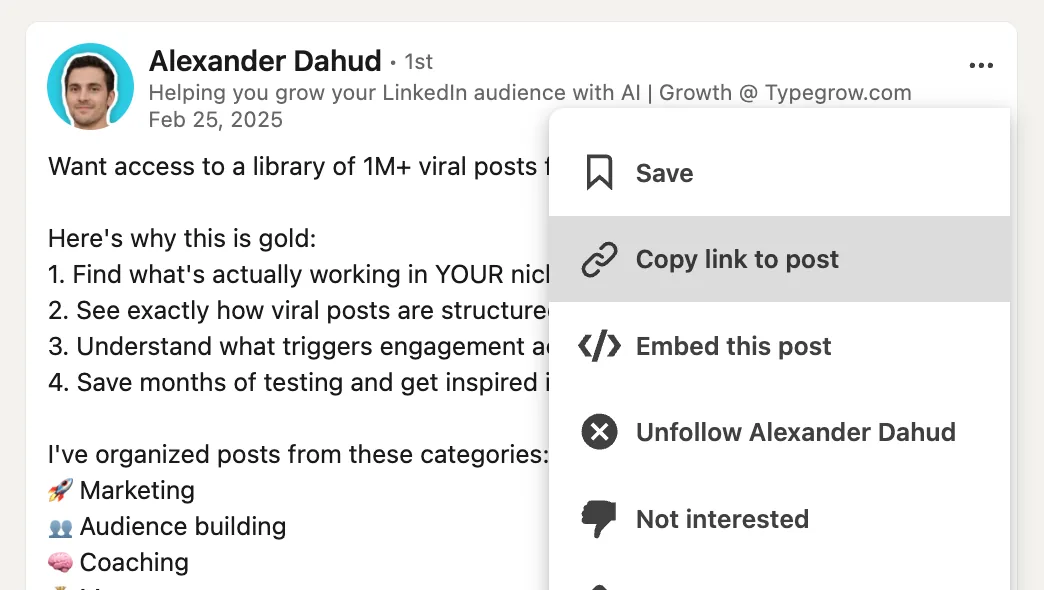
On LinkedIn, open the post and click the ... menu in its top-right corner.

Choose Copy link to post.
In Replygrow, go to Search and click Create search.
Choose Post Engagement, paste the link into LinkedIn Post URL and click Save.
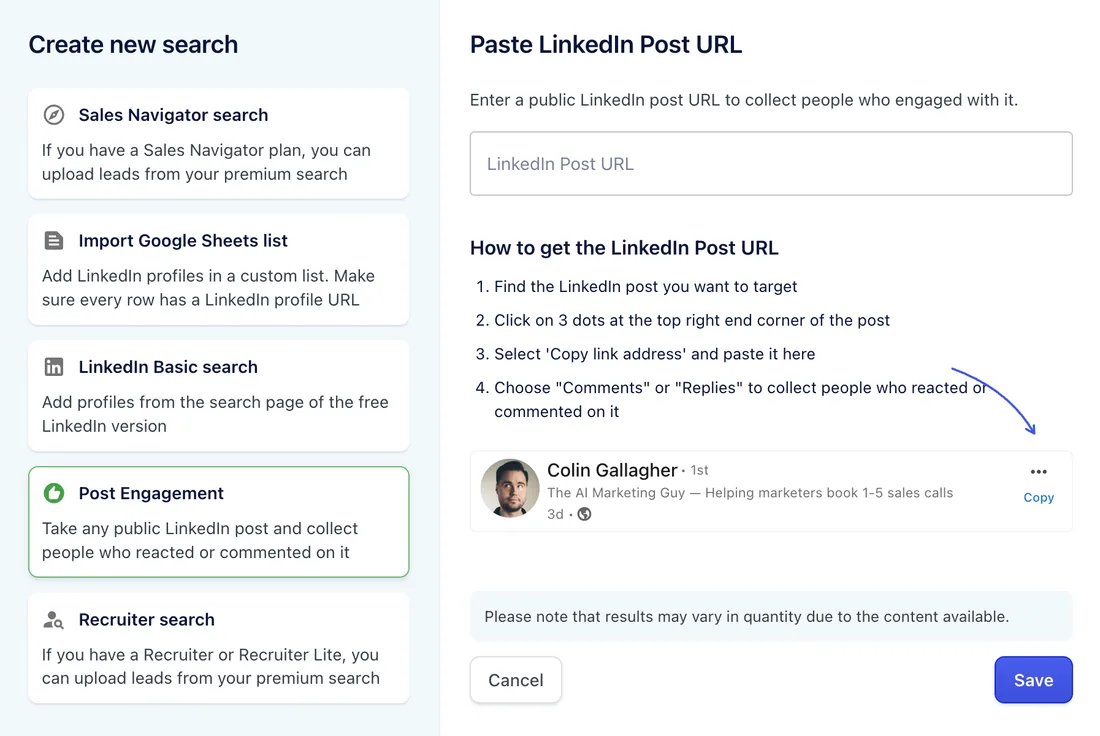
Replygrow processes the post in the background and adds the reactions list and the comments list to your searches.
Limits and tips
- Mention the post in your message. A line like "I saw your comment on the post about outbound hiring" makes the outreach feel personal. Use placeholders for the name and company.
- Pick posts in your niche. Posts with a lot of engagement from your target buyers give you the biggest relevant lists.
- Commenters are usually warmer than reactors. If you want to test, run the two lists in separate campaigns and compare the reply rates.
Next step
Add one or both lists to a campaign: on the Leads step, choose Existing Search list. See Create a campaign.